
Short answer: divide your total money by the number of trip days to get a daily cap, log every expense by category (food, transport, tickets, extras) on the spot, and check daily whether you're on track. A system with color alerts (green/amber/red) flags overspending as you go, so you course-correct on day 3 instead of when you get home.
The mistake that wrecks a budget: checking it at the end
Many people keep the receipts and "do the maths when they get back". By then it's too late. A budget only works if it's daily and visible: a boundary you see every day, not a summary you discover at home.
Step 1 — Work out your daily cap
Add up what you can spend on the ground (not counting flights and lodging, already paid) and divide by the number of days. That's your daily limit. You can fine-tune by day type: an expensive day-trip day "borrows" from a quiet day.
Step 2 — Log by category, on the spot
Note every expense the moment you make it, classified: food, transport, tickets/activities, shopping, extras. Logging in the moment kills the "where did my money go?" and shows you where to cut without sacrificing what matters.
Step 3 — Watch overspending in real time
This is the difference between stressing and enjoying: instead of adding it up in your head, let a color alert tell you how you're doing. Green: on track. Amber: careful. Red: time to slow down today. Aware, but without the stress.
Step 4 — Make it work offline
Expenses happen out there: a market, a taxi, a terrace. If you have to wait for wifi to log them, you won't. Use a tool that records offline and syncs later. → More on this in How to plan a trip without internet.
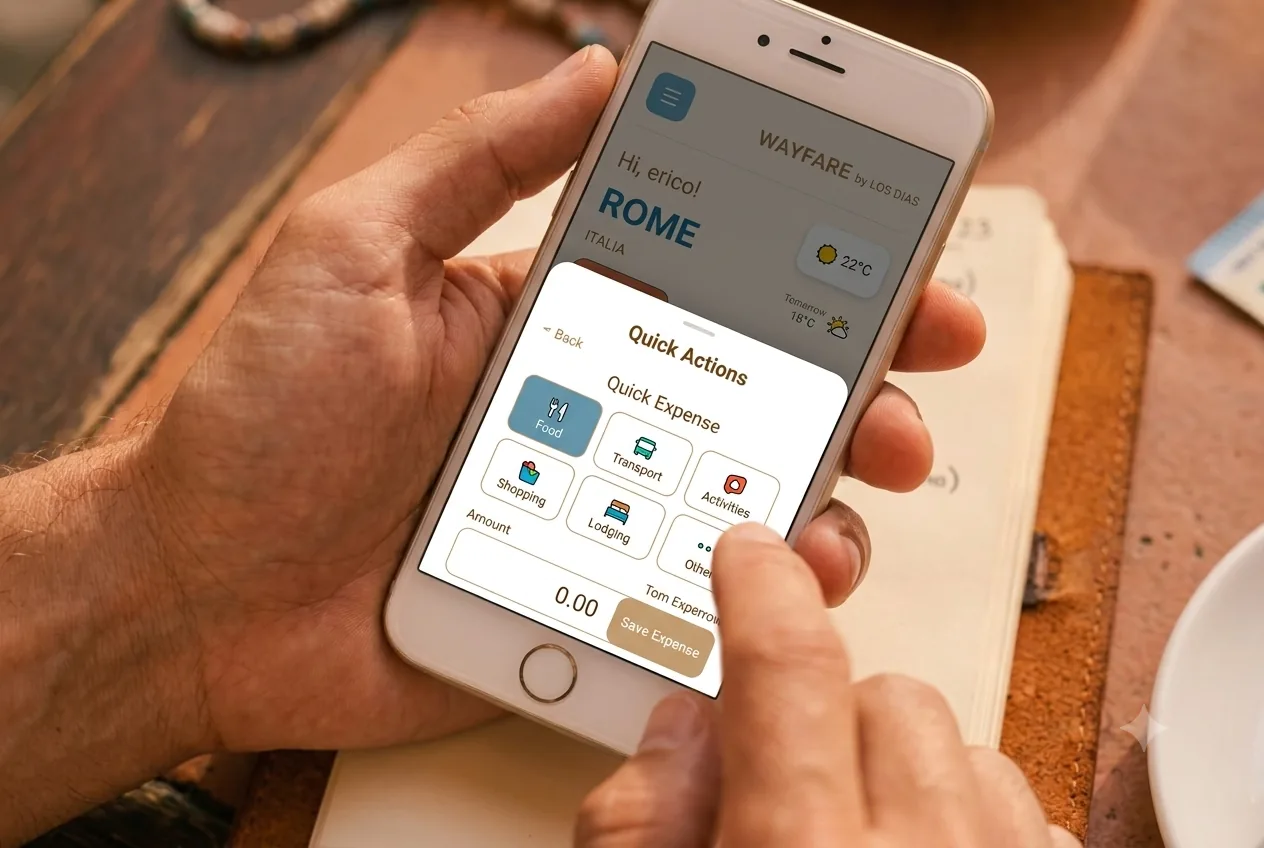
How Wayfare does it
Wayfare's Budget Tracker does exactly this: you set daily budgets, log expenses by category and see color alerts for overspending in real time — and it all works offline, integrated with the rest of your trip (itinerary, journal and guide). So tracking money isn't a separate app, but part of the same experience.
→ Try Wayfare · Full guide: How to plan a trip step by step.
Frequently asked questions
How much money should I bring per day of travel?
It depends on destination and style, but the method is the same: work out the total available on the ground and divide by the days for a realistic daily cap.
How do I log expenses offline?
With an offline-first app like Wayfare you can note every expense in the moment even with no data; it's saved on the device.
Which expense categories should I use?
Food, transport, tickets/activities, shopping and extras cover almost everything and show you where the money goes.
Written by Érico Dias, creator of Wayfare.